Flamingo Raises $4.5M to Get MSPs Out of the Ticket Queue · Our seed round, led by Vertex Ventures, funds OpenFrame: open-source tools plus AI agents that answer tickets with technician oversight.

Remmina
Remote Access and Support Tools
Alternative Vendors


Commercial Alternatives


Key Features
Multi-Protocol Support
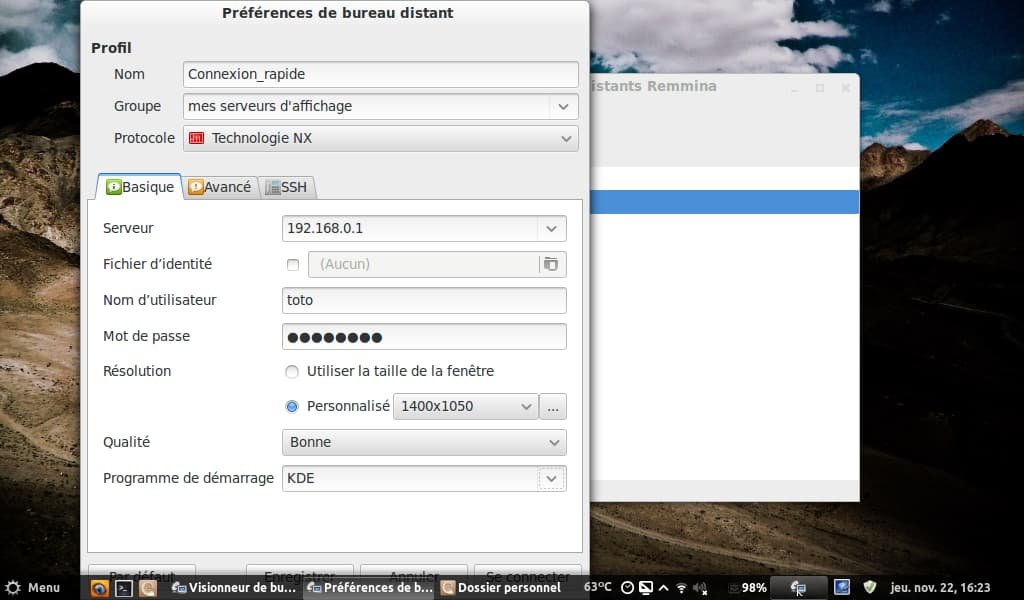
Supports RDP, VNC, SSH, SPICE, NX, and XDMCP protocols for connecting to various remote systems
Tabbed Interface
Browser-like tabbed interface allowing management of multiple remote connections simultaneously
Connection Profiles
Save and organize connection profiles with groups for easy management of multiple remote systems
File Transfer
Integrated file transfer capabilities for sharing documents between local and remote systems
Pros and Cons
Pros
Free and Open Source
Completely free to use with open-source GPL license and active community development
Multiple Protocol Support
Single client supporting various protocols eliminates need for multiple remote access tools
User-Friendly Interface
Intuitive tabbed interface with easy connection management and quick connect features
Cons
Linux-Only Client
No Windows version available due to GTK+/GDK dependencies, limiting cross-platform usage
Package Limitations
Snap and Flatpak versions have limitations like restricted SSH access and missing features
Basic Feature Set
Lacks advanced features found in commercial remote desktop solutions
Feature Comparison
Comments


Kateryna Shevchenko • SecureFlow Technologies
Jun 16, 2025
Solid Linux remote desktop client
Remmina handles remote desktop connections well for Linux-based client systems. Protocol support is comprehensive and performance is good for most use cases.


Camila Ortega • TechGuard Services
Jun 15, 2025
Good for multi-protocol access
Using Remmina for diverse remote access needs. RDP and VNC support work reliably and interface is straightforward. Good choice for Linux environments.


Aisha Mahmoud • DataFlow Technologies
Jun 14, 2025
Feature-rich remote client
Remmina provides solid remote desktop capabilities for Unix systems. SSH and SPICE protocol support adds flexibility for different client requirements.