Flamingo Raises $4.5M to Get MSPs Out of the Ticket Queue

Skip to content
RustDesk logo

RustDesk

Remote Access and Support Tools

Open Source
Paid Plans
Self-hosted
OpenMSP Score
58
40
Reddit Impact Score
Github Score
3B
130KStars
20KForks
11KCommits
GNU Affero General Public License v3.0License
Nov 19, 2026Last commit
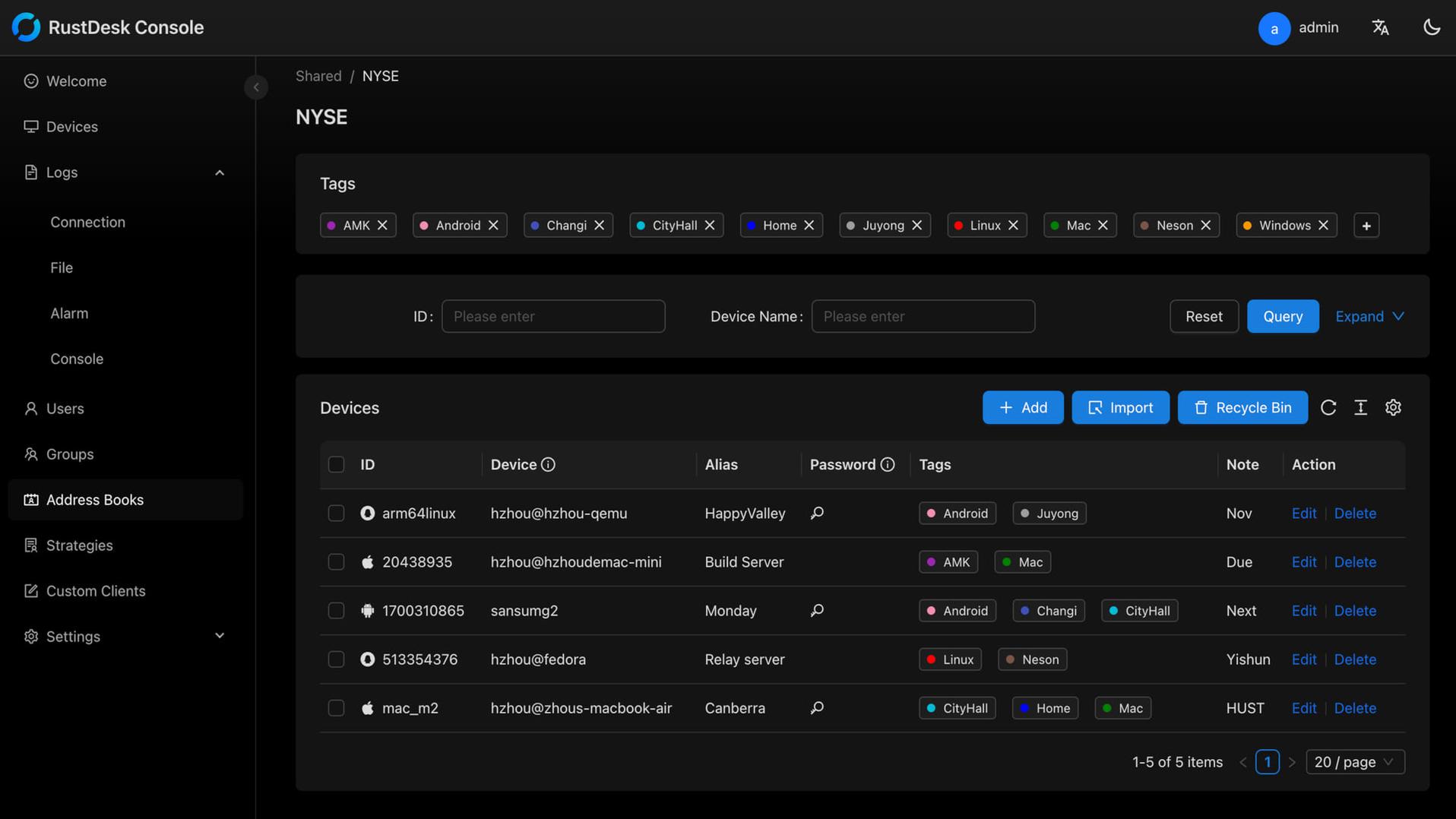
RustDesk is open source remote desktop software written in Rust, licensed under AGPL-3.0 and developed by Purslane Tech Pte. Ltd. in Singapore. The official downloads are on rustdesk.com and on the releases page of the rustdesk/rustdesk repository on GitHub, where version 1.5.1, released on 1 November 2026, is the current stable build and 1.5.3 is a pre-release. It handles remote control, file transfer, TCP tunneling, clipboard sync, multi-monitor sessions and unattended access on Windows, macOS, Linux and Android, and its iOS app can control other devices but cannot be controlled, because iOS does not allow it. Clients work out of the box against RustDesk's public servers or against your own. The free server runs with Docker Compose as two services: hbbs, the ID server, on TCP 21115, TCP and UDP 21116 and TCP 21118 for the web client, and hbbr, the relay, on TCP 21117 and 21119. The relay ships with an empty key, which lets clients without a matching key use it, so give hbbr the same key as hbbs on any server exposed to the internet. Each client then needs your server as its ID Server and the public key from id_ed25519.pub as its Key, typed in or built into a custom client. Server Pro installs from RustDesk's pro.yml Compose file, adds the web console and API on TCP 21114 and takes its license key in that console. RustDesk's FAQ says the smallest cloud server is enough, and bandwidth matters only when a session falls back to the relay. The client and the open-source server are free. Server Pro is a license for a server you host yourself, sold on annual terms only with no auto-renewal, and RustDesk's pricing FAQ says to contact it for a trial license (rustdesk.com/pricing, checked November 2026). Individual costs $11.88 a month for 1 login user and 20 managed devices with unlimited concurrent connections, 2FA, the web console, address book, audit log and access control. Basic costs $23.88 a month for 10 login users and 100 managed devices and adds OIDC single sign-on, LDAP, cross-group access and the custom client generator. Customized starts at $23.88 a month plus $1.20 per additional user and $0.12 per additional device, Customized V2 limits concurrent connections and charges $24 for each additional one, and the browser web client needs a plan where users times 10 plus devices reaches 400. RustDesk has no SOC 2 report and no published third-party audit (November 2026). NVD published seven RustDesk CVEs from VulnCheck between June and September 2026, so run 1.5.1 or later, and limit file-transfer permission to the technicians who need it, because NVD lists no fixed version for CVE-2026-58056, where a file-transfer-only session can inject input and capture the screen. Custom clients built with 1.4.7 or later store the preset password as a salted hash, so regenerate custom clients built before that release. RustDesk says it reports antivirus false positives to antivirus vendors one by one for every new version. For MSPs it is remote access only, with no patching, scripting, monitoring or alerting, so it runs next to an RMM. MeshCentral and TacticalRMM are the free, self-hosted alternatives: MeshCentral is open source under Apache 2.0, and TacticalRMM adds scripting, patching, monitoring and alerting under a source-available license. ConnectWise ScreenConnect, Splashtop, AnyDesk and TeamViewer are the commercial ones. TeamViewer and Splashtop list SOC 2 reports and ISO/IEC 27001 certification, ScreenConnect shares its SOC 2 reports under NDA and lists $30 to $57 per concurrent technician a month billed annually (November 2026), and AnyDesk disclosed a breach of its own systems in 2024. OpenMSP's RustDesk alternatives security review compares them side by side, and OpenMSP's RustDesk review covers hardening and day-to-day use.
image media

Key Features

Self-Hosted Control

Run your own ID and relay server for full control of connection data, or use the free public servers

Cross-Platform Support

Clients for Windows, macOS, Linux and Android; the iOS app controls other devices but cannot be controlled; browser web client on larger Server Pro plans

Open Source

The client and the free server are open source under AGPL-3.0 and written in Rust; Server Pro is a paid license

Easy Deployment

The open-source server and Server Pro deploy with Docker or a Linux install script

Customizable Branding

Server Pro custom client generator builds a white-labelled client with your name, icon, logo and preset server settings (Basic plan and above)

No Account Required

Connects by ID and password or one-time code without an account; accounts and address books come with Server Pro

Pros and Cons

Pros

Customizable

White-label custom client generator and centralized settings in Server Pro

No Account Required

Technician and end user connect by device ID and password or a one-time password, with no RustDesk account on either side

TeamViewer Alternative

Covers the remote control, file transfer and unattended access jobs of TeamViewer and AnyDesk on servers you run

Open Source & Free

Free and open source (125K+ GitHub stars); self-hosting the basic server costs nothing

Self-Hosting Option

Self-host the ID and relay servers with Docker for full data sovereignty

Cons

Management Features Need Server Pro

The free server only brokers connections; web console, 2FA, audit logs and access control need Server Pro, and OIDC, LDAP and the custom client need the Basic plan or higher

Smaller Ecosystem

rustdesk.com lists no PSA or RMM integrations; Server Pro has an API, so connecting tickets and RMM records to sessions is your own work

Community Support

The open-source edition relies on GitHub and Discord; vendor support comes with a Server Pro licence

Remote Access Only, Not an RMM

No patching, scripting, monitoring or alerting; MSPs still need a separate RMM

No SAML or SCIM, Annual Billing Only

Server Pro supports OIDC and LDAP but not SAML or SCIM, and paid plans are billed annually with no monthly option

Feature Comparison

Features
Cost and Licensing
Loading the comparison

Comments

No reviews yet. Be the first to share your experience with RustDesk.

Frequently Asked Questions

/vendor/rustdesk