
WSUS Offline Update
Patch Management
Alternative Vendors


Commercial Alternatives


Key Features
ISO and USB Output
Writes the downloaded updates to per-product ISO images or copies them to a USB drive for transfer
Offline Update Deployment
Enables deployment of Microsoft Windows and Office updates on computers without internet connectivity by creating portable update packages that can be transferred via removable media.
Automated Update Downloads
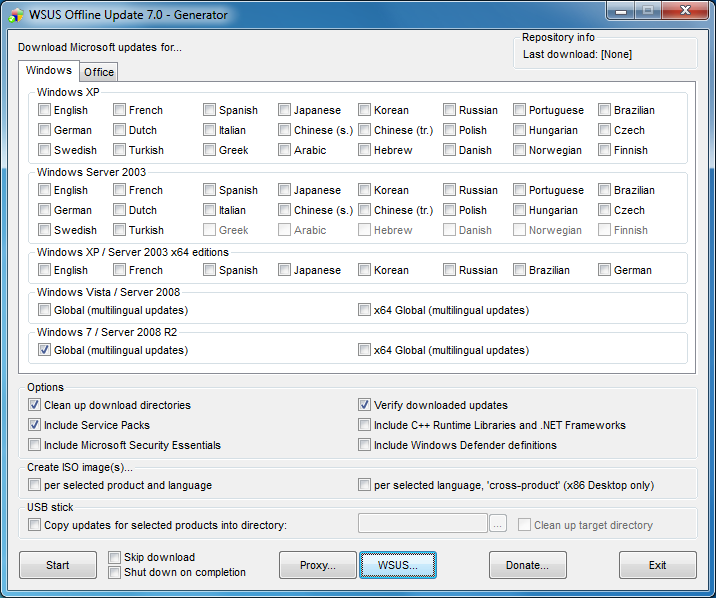
Downloads the updates listed in Microsoft's offline scan catalog and verifies them for offline distribution
Multiple Windows Versions Support
The 12.x Community Edition targets Windows 10 and newer server releases; the 11.9.x ESR line covers older versions such as Windows 7, 8.1 and Server 2008 to 2012 R2
Selective Update Installation
Choose which Windows and Office versions, languages and optional components (such as .NET and C++ runtimes) to download
Pros and Cons
Pros
Air-Gapped Network Support
Useful for isolated and air-gapped machines where internet access is restricted or prohibited
Free and Open Source
Completely free to use with no licensing costs, making it cost-effective for organizations of all sizes
Bandwidth Conservation
Reduces internet bandwidth usage by downloading updates once and deploying to multiple machines offline
Comprehensive Coverage
Covers Windows operating systems and Microsoft Office applications with security updates and service packs
Cons
Unmaintained Project
No release since 12.6.1 in December 2021, the original website and forum are offline, and the GitLab repository receives only occasional commits; updates may break as Microsoft changes servicing
No Support
Volunteer project with no commercial support, SLA or active community forum
Manual Process Required
Requires manual intervention for downloading, transferring, and installing updates, making it less automated than enterprise solutions
Limited to Microsoft Products
Only supports Microsoft Windows and Office updates, cannot patch third-party applications or software
No Centralized Management
Lacks enterprise-grade centralized management capabilities and reporting features found in commercial patch management solutions
Feature Comparison
Comments
No reviews yet. Be the first to share your experience with WSUS Offline Update.
Frequently Asked Questions
/vendor/wsus-offline-update