
NinjaOne Patch Management
Patch Management
Alternative Vendors


Commercial Alternatives


Key Features
OS and application patching
Unified patching for Windows, macOS, Linux operating systems and third-party applications from single console.
Scheduled maintenance windows
Defines maintenance windows by device groups with automatic patching during approved times, minimizing business disruption.
Reboot management control
Granular control over post-patch reboots including scheduling, user notifications, and forced reboots after grace periods.
Patch caching for efficiency
Caches patches on a local device so other endpoints on the same network download them over the LAN, saving WAN bandwidth
Patch approval policies
Policy-based approval rules by patch category and severity, with manual approval or rejection of individual patches
Patch reporting and compliance
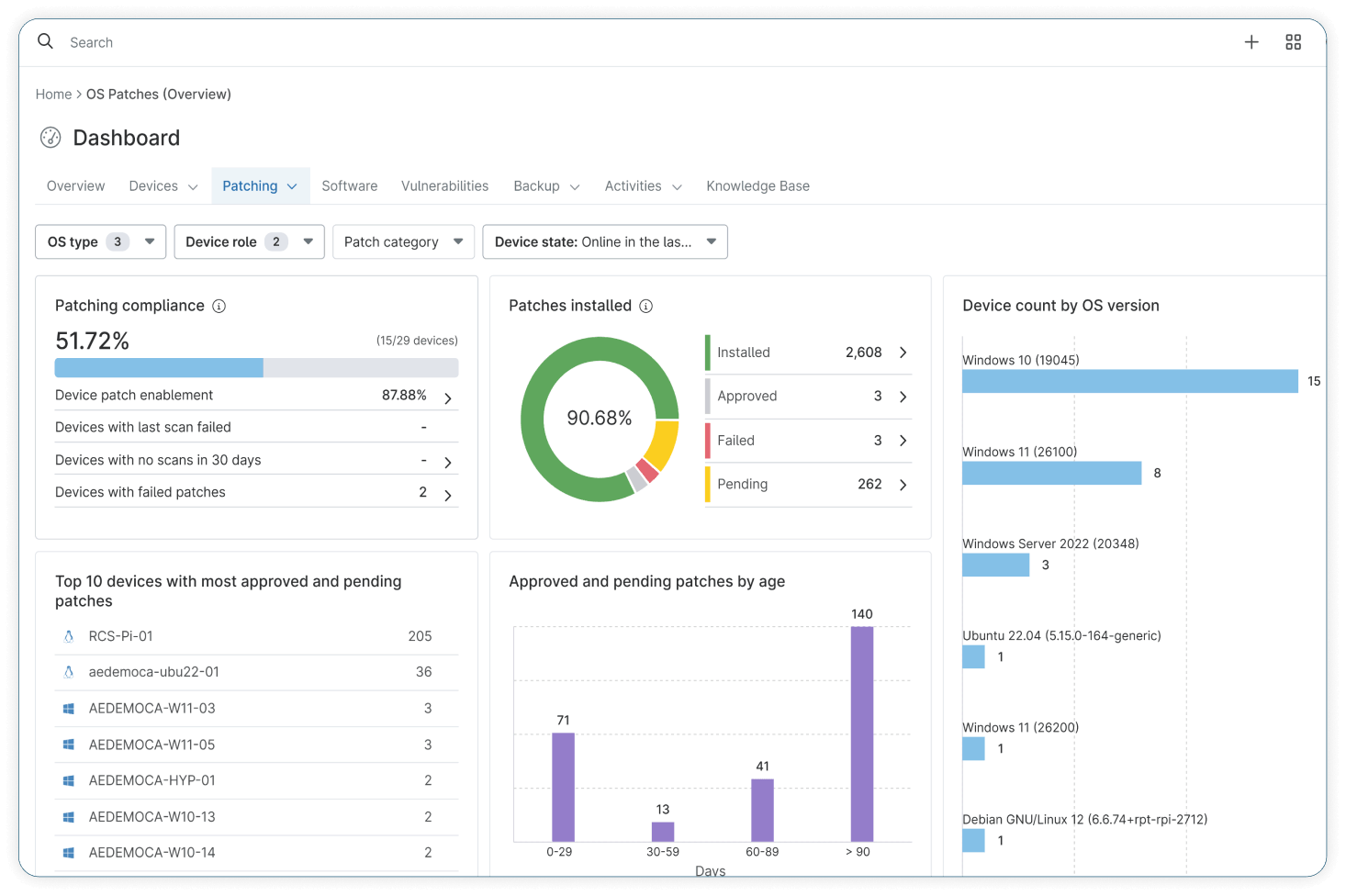
Patching dashboard and reports showing compliance, installed, approved, failed and pending patches and patch age per organisation
Pros and Cons
Pros
MSP-focused design
Built specifically for managed service providers
Multi-tenant architecture
Organisations, locations and technician roles make it straightforward to manage many clients from one console
Integrated RMM platform
Patching shares one agent and console with monitoring, remote access, scripting and other NinjaOne modules
Intuitive interface
User-friendly interface with minimal learning curve
Cross-platform patching
Windows, macOS and Linux operating systems plus third-party applications are patched from the same policies
Cons
Bundled pricing model
Patch management cannot be bought on its own; it comes with the per-device NinjaOne platform licence
No published price list
Pricing is quote-based and volume-tiered; only a starting figure at 10,000 endpoints is published, so small MSPs pay more per device
SaaS only
No self-hosted option for MSPs or clients that require on-premises data control
Feature Comparison
Comments
No reviews yet. Be the first to share your experience with NinjaOne Patch Management.
Frequently Asked Questions
/vendor/ninjaone-patch-management