Flamingo Raises $4.5M to Get MSPs Out of the Ticket Queue · Our seed round, led by Vertex Ventures, funds OpenFrame: open-source tools plus AI agents that answer tickets with technician oversight.
Bareos GmbH & Co. KG
Backup and Disaster Recovery
Alternative Vendors


Commercial Alternatives


Key Features
Fork of Bacula with enhanced usability and modern features
Built upon the proven Bacula architecture while adding improved user interfaces, better performance optimizations, and enhanced security features, providing enterprise-class backup capabilities with reduced administrative complexity.
Multi-platform support (Windows, Linux, macOS, Unix)
Native support across all major operating systems enables unified backup management for heterogeneous environments, reducing training requirements and operational overhead while ensuring consistent data protection policies.
Advanced deduplication and compression algorithms
Implements both client-side and storage-side deduplication with configurable compression methods, significantly reducing storage requirements and network bandwidth usage while maintaining backup integrity and performance.
Tape and cloud storage integration
Seamlessly integrates traditional tape libraries with modern cloud storage services, enabling hybrid storage strategies that optimize costs while maintaining rapid recovery capabilities for recent backups.
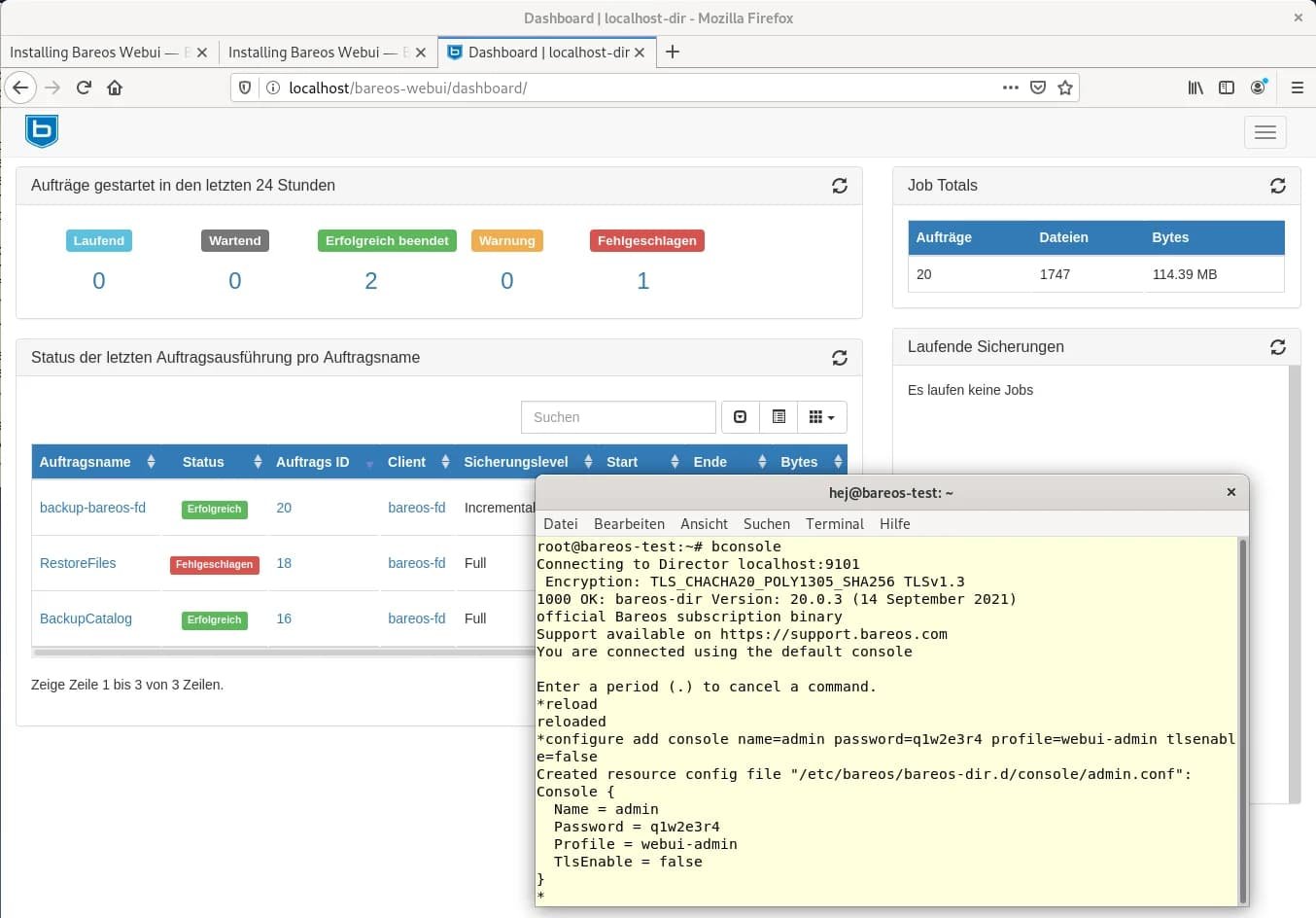
Web-based administration console (BAT)
Provides intuitive browser-based interface for configuring backup jobs, monitoring operations, managing media pools, and generating reports, making backup administration accessible without command-line expertise.
Encrypted backup streams with SSL/TLS
All data transmissions and storage operations use strong encryption protocols, ensuring data confidentiality both in transit and at rest, meeting compliance requirements for regulated industries.
Pros and Cons
Pros
Bacula enhancement
Enhanced fork of Bacula with additional features
Open source
Fully open source and free to use
Active development
More active development than original Bacula
Web interface
Improved web interface over Bacula
Plugin system
Extensible plugin system
Cons
Complexity
Complex setup and configuration similar to Bacula
Technical expertise
Requires significant technical expertise
Resource requirements
Significant resources for full deployment
Documentation gaps
Some documentation gaps compared to Bacula
Technical Expertise Required
Requires significant technical knowledge for deployment and management compared to commercial solutions
Feature Comparison
Comments

Chiara Romano
Jun 20, 2025
Solid backup solution for mixed environments
Deployed Bareos for multiple clients with Linux and Windows systems. Configuration is complex but flexible. Performance is good once properly tuned. Open source licensing helps with cost-conscious clients.


Aaron Foster • NetReliable Services
Jun 15, 2025
Flexible but requires expertise
Been using Bareos for client backup infrastructure. The cross-platform support is excellent and feature set is comprehensive. Learning curve is steep and documentation could be clearer. Good for technical teams.

Roman Khutornyi • My MSP
Jan 30, 2025
Documentation could be better
While Bareos works great, the documentation can be confusing for newcomers. Took some time to configure properly.
Roman Khutornyi • My MSP
Jan 30, 2025
Performance is impressive
Backup speeds have improved significantly since switching to Bareos. The parallel job execution really makes a difference.


Michael Assraf • OpenMSP
Jan 30, 2025
Cross-platform compatibility
Works great across our mixed environment of Linux, Windows, and VMware. The client support is comprehensive.