Flamingo Raises $4.5M to Get MSPs Out of the Ticket Queue · Our seed round, led by Vertex Ventures, funds OpenFrame: open-source tools plus AI agents that answer tickets with technician oversight.

Passbolt
Documentation and Password Management
Alternative Vendors


Commercial Alternatives


Key Features
End-to-End Encryption
Uses OpenPGP encryption with unique public-private key architecture. Each password is encrypted individually with user's auto-generated private key, ensuring granular data privacy and security.
Team Collaboration
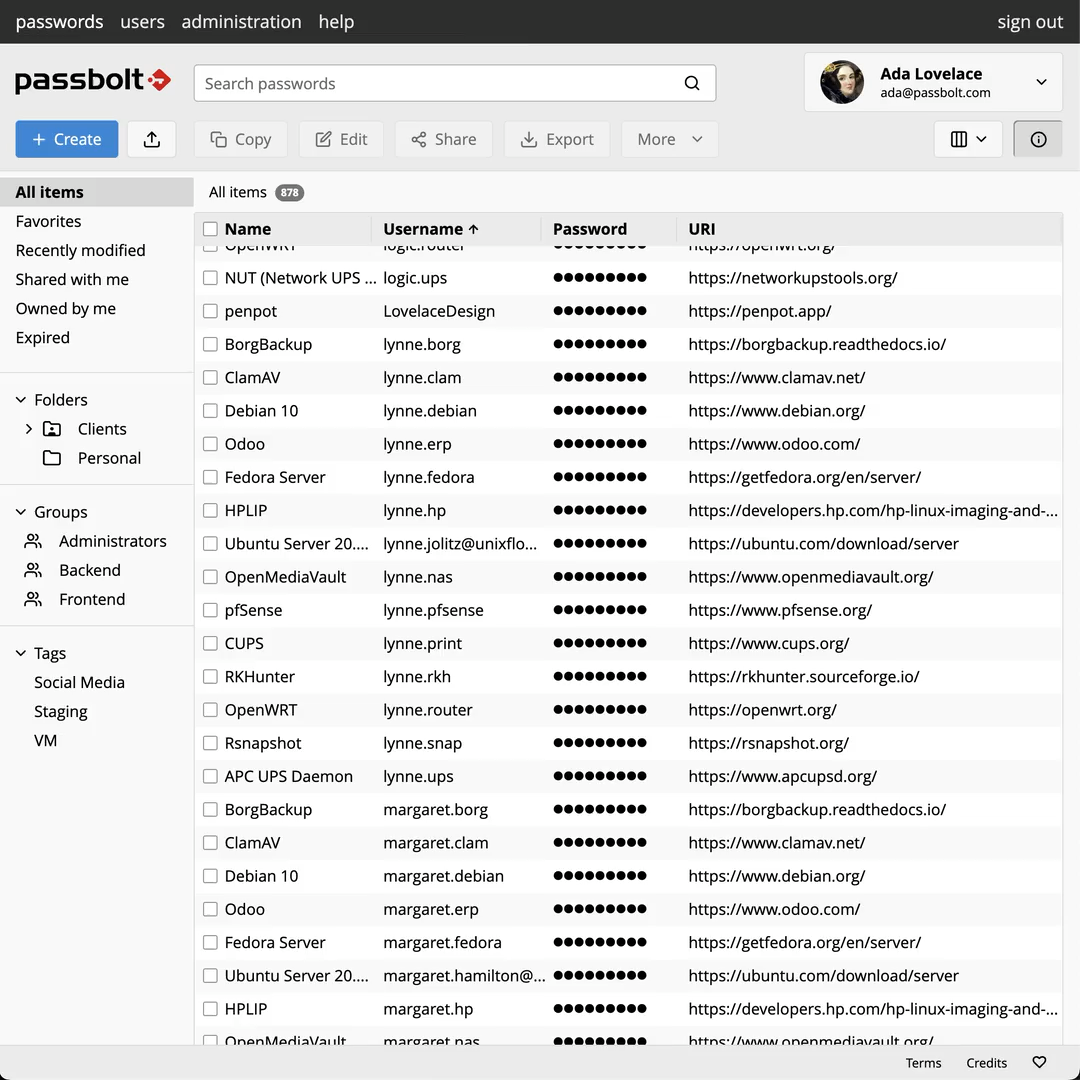
Designed for teams with granular sharing capabilities, inherited permissions, folder-based organization, and real-time notifications for secure password collaboration at scale.
Self-Hosted & Open Source
100% open source including paid versions, with self-hosting options for full data ownership and control. No vendor lock-in with complete transparency.
Advanced Security Features
Multi-factor authentication, account recovery, phishing protection with 3-letter tokens and color combinations, and comprehensive audit logging for compliance.
Pros and Cons
Pros
Strong Security Architecture
OpenPGP encryption with individual password encryption prevents cascade failures if one password is compromised. Public-private key architecture is superior to master password approaches.
True Open Source
Fully open source including paid versions, allowing code inspection and customization. No hidden proprietary components or vendor lock-in.
Team-Focused Design
Built specifically for team collaboration with granular permissions, folder sharing, and real-time notifications. Scales well for organizations.
Cons
Complex Setup
Self-hosting requires technical expertise for installation, configuration, and ongoing maintenance. Not suitable for non-technical users without IT support.
Limited Mobile Support
Mobile apps are premium-only features and browser-based cryptography limitations affect mobile experience. No Safari extension support.
Learning Curve
Team-focused interface can be overwhelming for individual users. Concepts like public-private keys and OpenPGP require understanding for optimal use.
Feature Comparison
Comments
No reviews yet. Be the first to share your experience with Passbolt.