
Acronis Cyber Protect Cloud
Cloud Backup Solutions
Alternative Vendors


Commercial Alternatives


Key Features
Multi-Tenant MSP Console
One console manages customer tenants with per-customer policies, retention, branding and reporting
Continuous Data Protection
Optional CDP keeps changes to selected files and folders protected between scheduled backups
Broad Workload Coverage
Physical servers, Windows/macOS/Linux endpoints, VMware, Hyper-V, Nutanix, cloud VMs, SQL Server, Exchange, Oracle, Microsoft 365, Google Workspace and Entra ID from one console
Encryption and Immutable Storage
Backups can be encrypted and kept immutable for a set period on supported cloud destinations
Instant Restore and Disaster Recovery
Run VMware or Hyper-V machines directly from backup while full recovery continues, with optional cloud disaster recovery and runbooks
Flexible Storage Locations
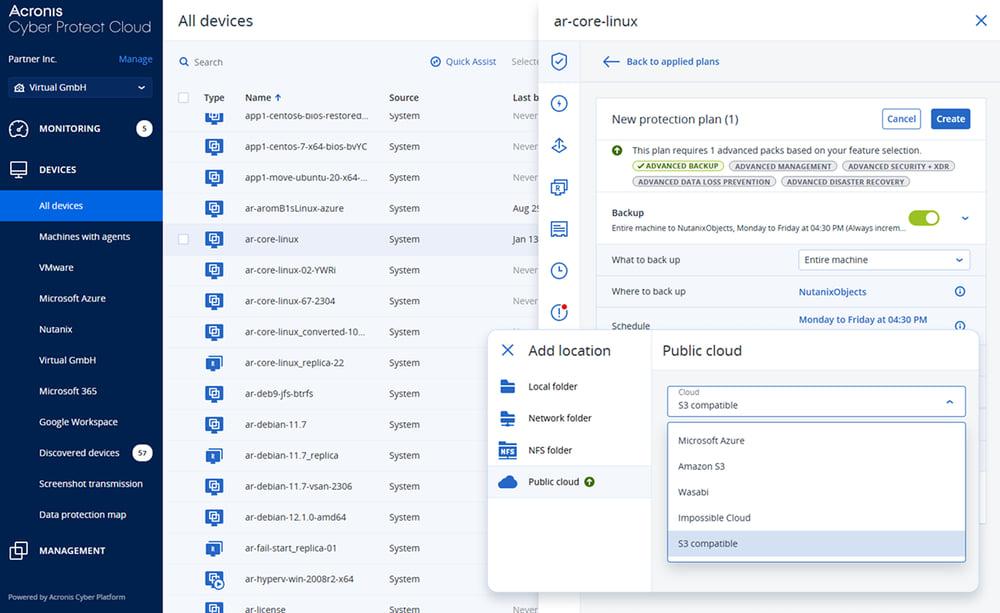
Back up to local or network storage, Acronis-hosted data centers, partner-hosted storage, or Amazon S3, Azure and other S3-compatible clouds
Pros and Cons
Pros
Multi-Tenant Console
One web console manages all customer tenants, devices, plans and alerts
All-in-One Solution
Backup, DR, endpoint security and RMM in one agent and console reduce the number of tools an MSP runs
Flexible Pricing Models
Per-workload, per-GB and solution-based packs can be mixed across customer tenants
Built-In Ransomware Protection
Anti-malware, Active Protection and scanning of backups for malware come with the same agent as backup
Rapid Recovery
Instant Restore runs VMware and Hyper-V machines from backup while full recovery continues
Cons
Learning Curve
The console has many modules and options, so setup and training take time
Support Response Times
Some users report inconsistent customer support response times, with ticket resolution sometimes taking several days
Platform Lock-In
Backups, security and RMM all tied to one vendor platform make switching providers harder
Commitment and Opaque Pricing
Partner pricing requires a minimum monthly commitment and list prices are not published; Acronis-hosted storage overages add cost
Feature Comparison
Comments
No reviews yet. Be the first to share your experience with Acronis Cyber Protect Cloud.
Frequently Asked Questions
/vendor/acronis-cloud-backup