
Microsoft Defender XDR
Extended Detection and Response (XDR)


Commercial Alternatives


Key Features
Unified XDR Platform
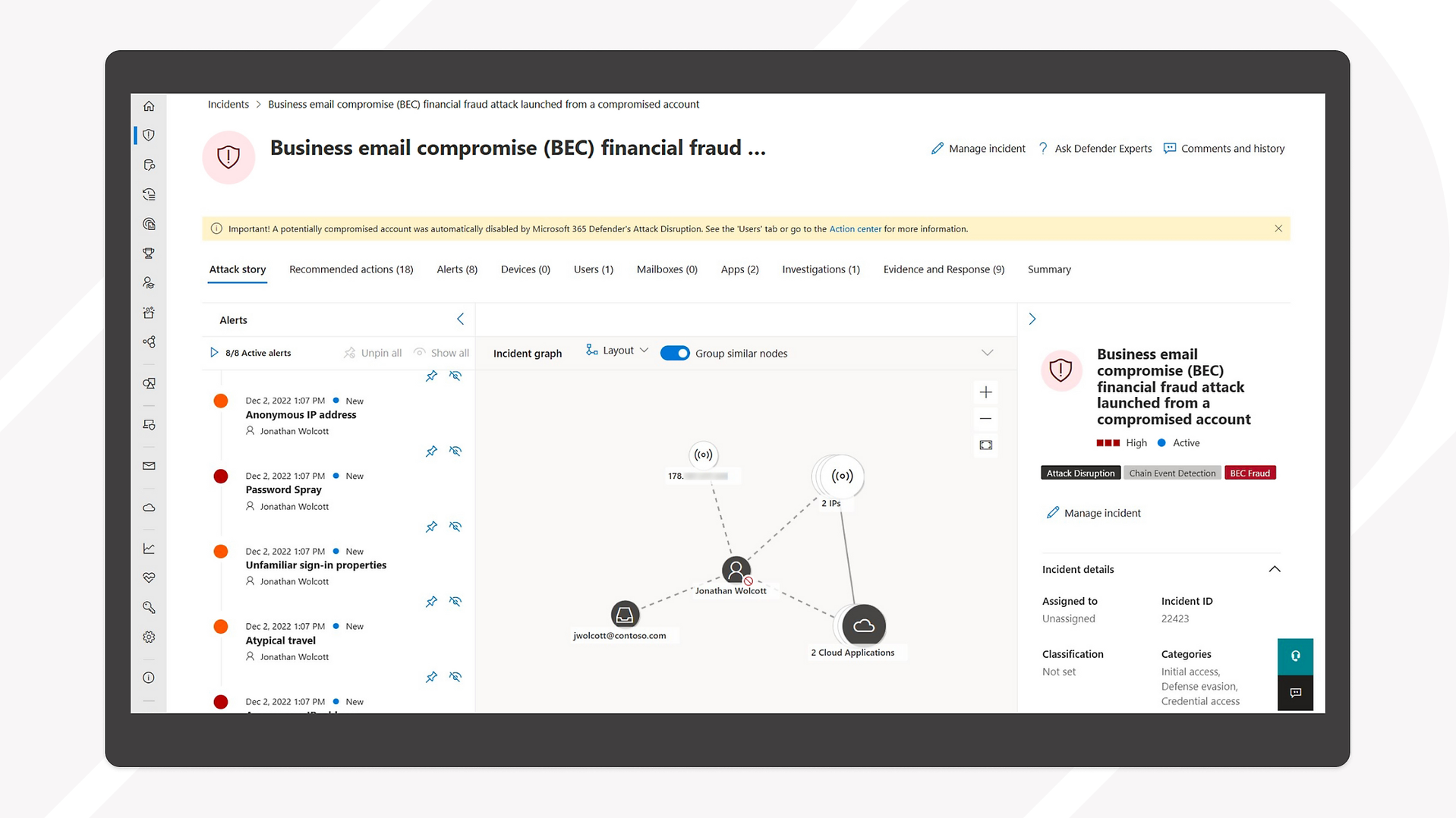
Coordinates detection, prevention, investigation, and response across endpoints, identities, email, and cloud applications in a single platform
Cross-Product Correlation
Correlates signals from Defender for Endpoint, Defender for Office 365, Defender for Identity and Defender for Cloud Apps into single incidents
Advanced Threat Hunting
KQL queries over 30 days of raw data from all Defender workloads for proactive threat hunting
Automated Investigation and Attack Disruption
Automated investigation and remediation, plus automatic attack disruption that can disable compromised accounts or contain devices during an active attack
Security Copilot Integration
Security Copilot summarizes incidents, explains scripts and drafts hunting queries inside the Defender portal
Multitenant Management
View incidents and alerts and run hunting queries across multiple customer tenants from the Defender portal
Pros and Cons
Pros
Microsoft Ecosystem Integration
Seamless integration with Microsoft 365, Azure, and other Microsoft security products providing unified security management
Security Copilot and automation
Automated investigation, attack disruption and Security Copilot assistance reduce manual triage
Comprehensive Coverage
Covers endpoints, email, identity, and cloud applications in a single unified platform
Cost Effective for Microsoft Users
Included with Microsoft 365 Business Premium (Defender for Business) and Microsoft 365 E5, so many customers already own it
Multitenant management for MSPs
Defender portal multitenant management and Microsoft 365 Lighthouse let MSPs work across customer tenants
Cons
Microsoft Ecosystem Dependency
Less effective in non-Microsoft environments, limiting its applicability for diverse technology stacks
Complexity
Can be complex to configure and manage effectively, requiring specialized expertise
False Positives
Can generate false positives that require manual investigation and tuning
Limited Linux Support
Linux and macOS are supported by Defender for Endpoint, but some features and response actions arrive later or are more limited than on Windows
Complex licensing
Features depend on which Defender plans, Microsoft 365 suites and add-ons each customer holds, and Microsoft list prices change over time
Feature Comparison
Comments
No reviews yet. Be the first to share your experience with Microsoft Defender XDR.
Frequently Asked Questions
/vendor/microsoft-defender-xdr