
Serva
Software Solution
Key Features
All-in-One Multi-Server Engine
HTTP, FTP, TFTP, DHCP, proxyDHCP, DNS, SNTP and syslog servers in one executable
proxyDHCP
Adds PXE boot to a network without changing the existing DHCP server
WDS/RIS Alternative (BINL)
Network-installs Windows from original media without WDS or the Windows ADK
BIOS, UEFI and Arm UEFI Clients
Boots legacy BIOS, UEFI 32/64-bit and, in Pro, Arm UEFI and Secure Boot targets
Non-Windows Boot and Install
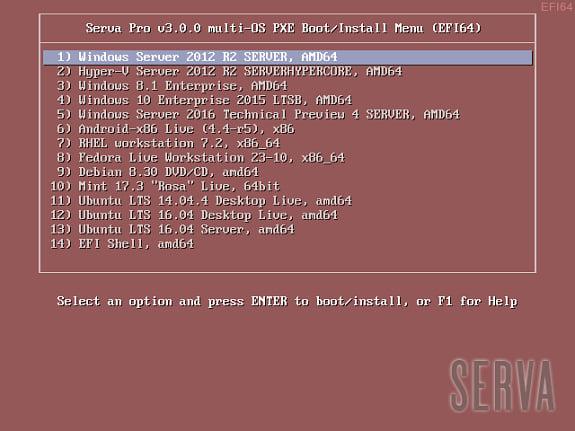
PXE boot Linux installers and live distributions from the same menu
Task Sequence Manager
Capture and deploy Windows images and run unattended installs (Pro)
Pros and Cons
Pros
Fast to Set Up
A single small executable can serve PXE installs within minutes on any Windows PC
Works With Existing DHCP
proxyDHCP avoids touching a client's DHCP server
No WDS or ADK Required
Installs Windows over the network from the original ISO contents
Low Cost
Serva Pro is $92 per year per licence
Windows and Linux Targets
Serves Windows, Linux and live OS images from one boot menu
Cons
Community Edition Not for Business
The free edition is for personal, non-commercial use only, with 2 PXE clients and 50-minute limits
Windows Host Only
The server runs only on Windows (Pro needs Windows 7 or later)
Not a Management Platform
No central console, inventory, reporting or multi-tenant features; it is a deployment tool used per site
Single-Developer Product
Built and supported by a small vendor (Vercot LLC); the last release was 5.0.0 in October 2024
Internet-Validated Licence
Serva Pro civilian licences need an Internet connection to validate
Feature Comparison
Comments
No reviews yet. Be the first to share your experience with Serva.
Frequently Asked Questions
/vendor/serva